BrinkYour pages, on the edge.
A quiet black notch on your screen edge. Hover to peek at your Notion pages and tasks, click to check things off, press a hotkey to capture. A menu bar app for your Notion pages that stays out of your way.
Works with Notion · macOS 14+
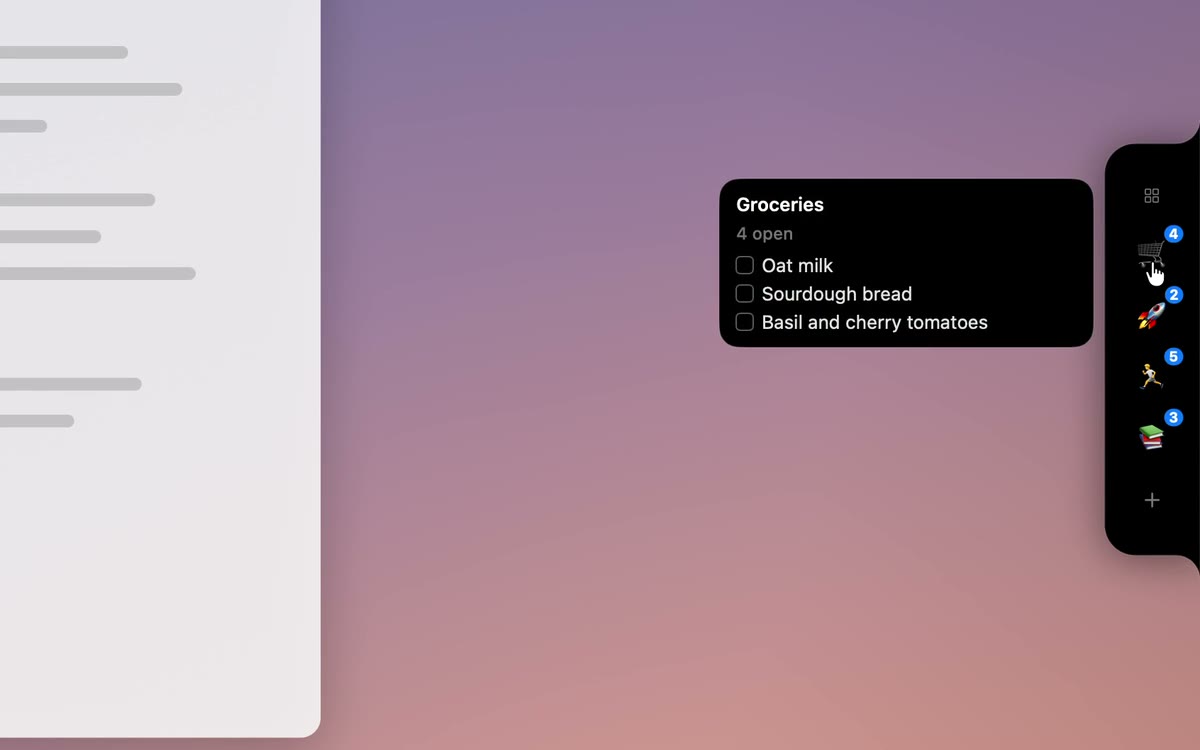
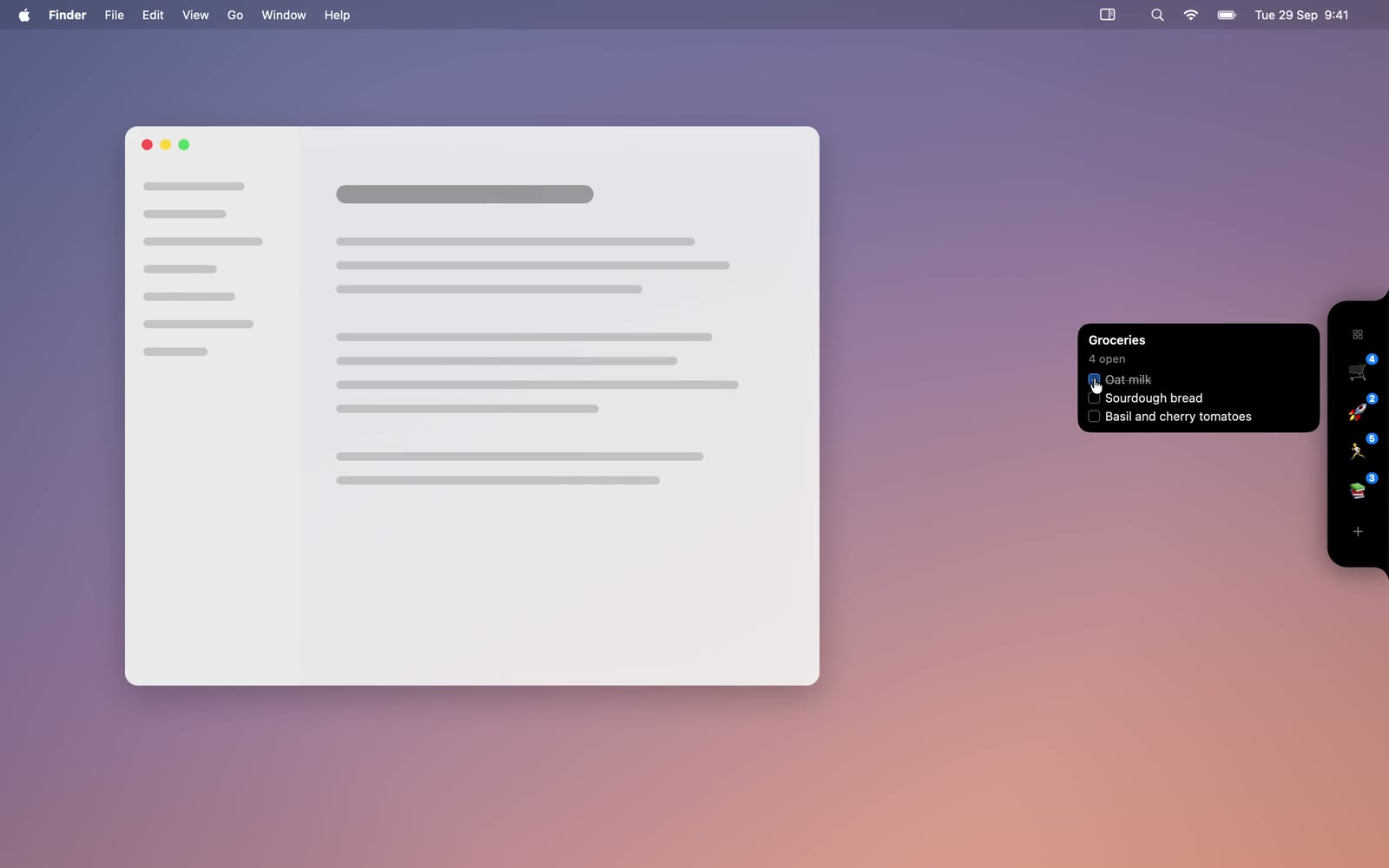
Interactive demo. Opens a strip of four pinned pages. Choose a pin to open its checklist, tick items to complete them, and press Escape to close.
Everything within one hover.
Brink is a notch app for Mac that turns the edge of your screen into a fast lane to the Notion pages and tasks you actually use.
See it without opening it.
Rest your cursor on the notch and a strip of your pinned pages unfolds. Peek at the next tasks, glance at a badge, and move on. Resting pill, strip and panel are one morphing shape with a liquid spring, and opening and closing mirror each other.
Capture in under three seconds.
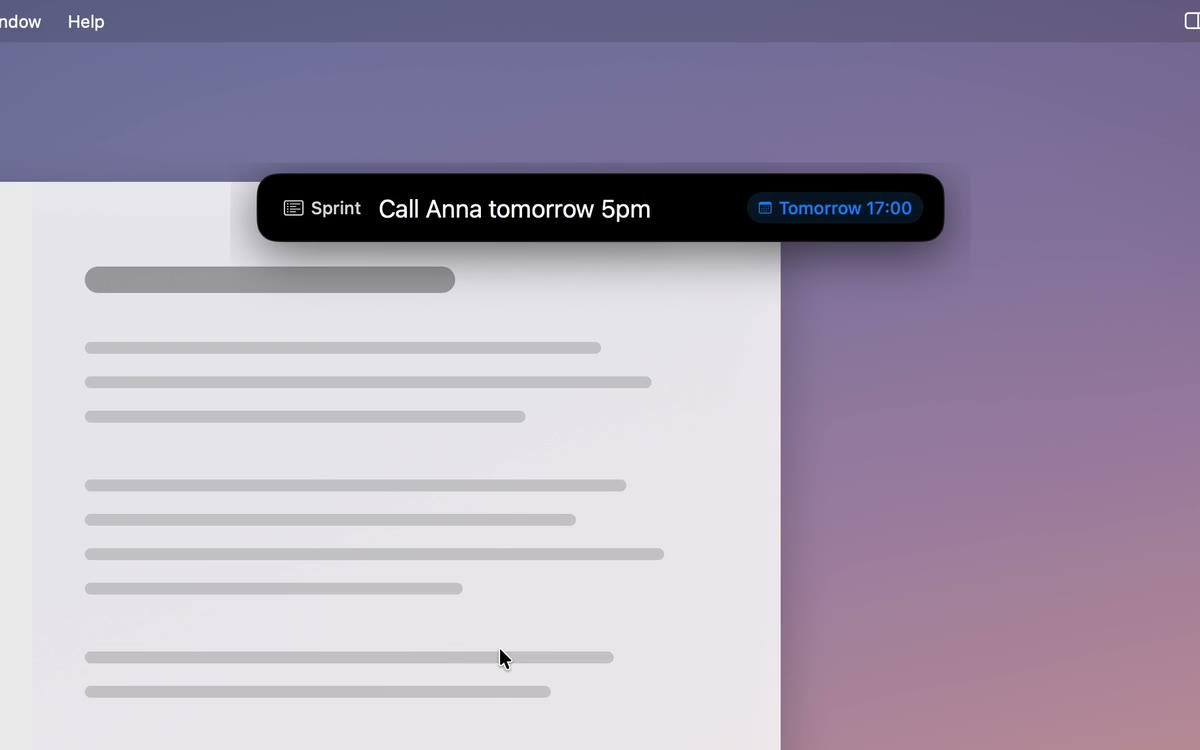
Press ⌥⇧Space from any app, type, hit return. Natural dates work in English and Czech, so “friday” and “pátek” both land on the right day. Perfect for Notion tasks on Mac without the Notion round trip.
A Notion-style editor, one hover away.
Type Markdown and it turns into real blocks as you go: [] becomes a checkbox, ## a heading, **bold** bold. Press / for the block menu.
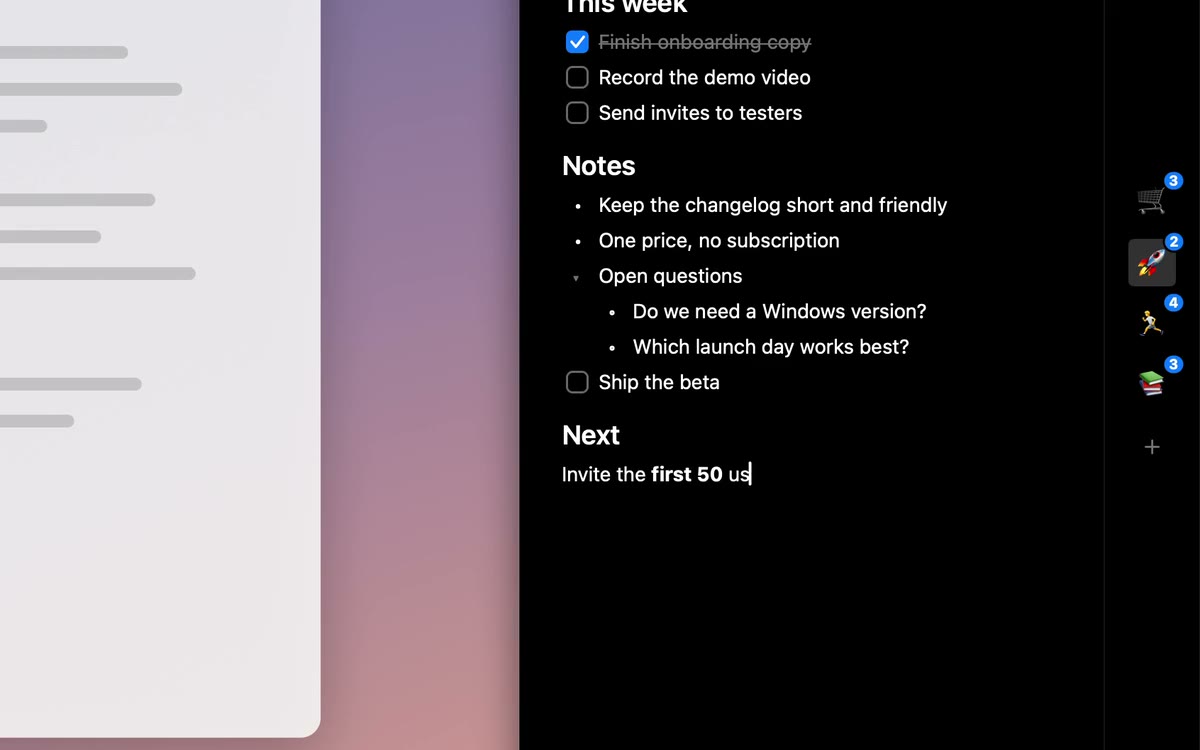
Notion-style editor with slash menu
Pages render white on black and edit like a single Markdown document where each line is one block. Type / for headings, to-dos, toggles, callouts and more. Find in page with ⌘F.
Badges & live pill
See what is due today on the pill itself. Badges update quietly in the background.
Menu-bar mini-list
Prefer the top of the screen? A compact list lives in the menu bar too, a proper menu bar app for your Notion pages when you want one.
Desktop widget
A Notion widget for Mac: pin your task list to the desktop or Notification Center.
Send to Brink
A share extension in every app. Send a link, selection or file straight to a page or database.
Hotkeys
Global shortcuts for quick capture and for opening your last pin. Rebind them in Settings.
Groups & saved views
Group pins into folders that unfold on the strip. Pin a filtered and sorted database view, such as “My open tasks by due date”, and check things off without opening the full database.
Make the notch yours.
Brink is calm by default and flexible when you want it.
The real app, in about a minute.
Recorded in demo mode with sample data: the pill unfolds, a peek ticks off a grocery item, a page is edited, and quick capture adds a task.
Your data stays between your Mac and Notion. No tracking.
Your token lives in the macOS Keychain, and your pages never touch anyone else’s server. No analytics, no ads, no telemetry. The optional one-click sign-in passes through a tiny relay that stores and logs nothing.
Questions, answered.
No. Brink is an independent app and is not affiliated with, endorsed by, or sponsored by Notion Labs, Inc. It works with Notion through the public Notion API.
A Mac running macOS 14 or later and a Notion account. Click Connect to Notion and pick the pages Brink may use. If you prefer, you can paste an internal integration token instead.
Connect to Notion opens Notion’s own consent screen in your browser. You choose exactly which pages and databases Brink can see, then click Allow. Notion needs a secret to finish sign-in that can’t safely ship inside an app, so a tiny relay run by the developer swaps Notion’s one-time code for your access token. It stores and logs nothing and never sees your pages. The token is saved in your Mac’s Keychain. To add pages later, connect again and update your selection. Advanced users can paste an internal integration token instead, which skips the relay.
Yes, for what you have already opened. Pages are cached so the panel opens instantly, and edits made offline are queued and synced when you are back online.
Only between your Mac and Notion. The token is stored in the macOS Keychain. There’s no analytics or tracking, and apart from the sign-in relay (which stores nothing), there’s no server.
Brink is free. Download the latest version from GitHub Releases.
Yes. Choose the edge (left, right or top) and the display in Settings. On a MacBook with a camera notch, Brink sits on the edge you pick, not over the camera.
Yes. Press ⌥⇧Space anywhere, type your task with a natural date such as “tomorrow 5pm”, and it is saved to the database you chose.
Choose Disconnect in Brink’s settings, or remove Brink in Notion under Settings → Connections. Brink loses access immediately.
Put your pages on the edge.
Free. macOS 14 or later. First launch: right-click Brink → Open (the app is not notarized yet).
Download for Mac · FreeWorks with Notion · Version 0.9.0